SSteer / Release prepProject
Review the changes and draft release notes.
01
Choose a project and an agent
Select a local or Git project and an agent with the right instructions, model, and skills. Send a goal, a question, or an image.
An open-source workspace for your agent tools
Bring Codex, Trae, Claude Code, and Pi into one workspace.
Work in your own projects and on your own machines. Keep the conversation, progress, and files together.
Open sourceSelf-hostedBring your own runtimes
 View full image
 01 / THE EXPERIENCE
Review changes, investigate a bug, or write a guide. Start with the repository and tools you already use.
Review the changes and draft release notes.
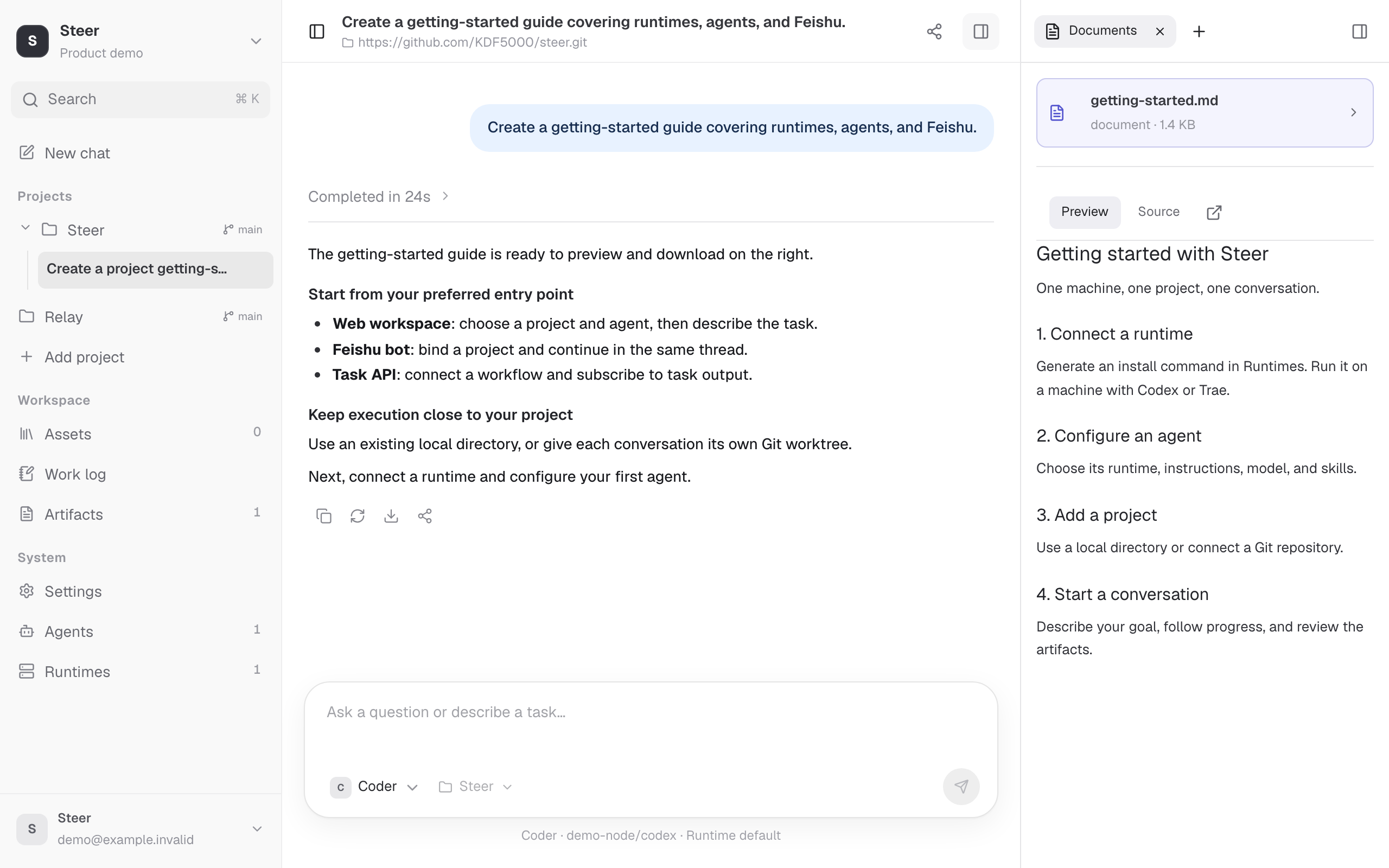
Select a local or Git project and an agent with the right instructions, model, and skills. Send a goal, a question, or an image.
Relay prepares the workspace and sends the task to the chosen runtime. Follow streaming output, inspect the process, or cancel when needed.
Read the answer, inspect code changes, and preview any generated files. Continue in the same conversation when the work needs another pass.
Set instructions, choose a model, and attach skills to each agent. Keep separate profiles for coding, review, or documentation.
Instructions, models & skillsWatch output arrive, expand the execution details, and cancel a task when the plan changes. Return to the conversation to review what happened.
Streaming & task controlFollow up in the same conversation with its history, project, and execution environment intact. Return later to review the work or take the next step.
Persistent conversationsWork directly in an existing directory on a selected machine, or give each conversation its own Git worktree for separate changes.
Local & Git projectsBind an agent to a runtime on a specific node, or select automatically by provider. Once a conversation starts, its execution environment stays pinned.
Flexible runtime routingOpen generated documents beside the conversation, inspect session files and code changes, or download artifacts to use elsewhere.
Durable artifacts02 / POWERED BY RELAY
Steer gives you projects, agent profiles, and conversations. Relay discovers runtimes, prepares workspaces, dispatches tasks, and returns events and artifacts. Deploy Relay independently, or use its API and SDK in your own application.
Explore Relay
Your machines. Your tools. Your control.
03 / CONNECT YOUR WAY
Start a task from the web, your team chat, or your own app.
Use the agents and projects already configured in Steer.
Send text or images, follow execution, and review files beside the conversation.
Open workspaceConnect a bot in Settings. Choose projects in chat, continue in a thread, and check progress with /status.
Explore the Feishu integrationCreate or continue conversations with an API key. Stream events, retrieve artifacts, and cancel tasks.
Read the API docsMAKE ROOM FOR WHAT’S NEXT
Connect a runtime, add a project, and start your first conversation.