SSteer / Release prepProject
Review the changes and draft release notes.
01
Choose a project and an agent
Choose a project and an agent, then describe the task.
An open-source workspace for your agents
Bring Codex, Trae, Claude Code, and Pi into one workspace.
Run tasks on local or remote machines. Organize your work through projects and conversations.
Open sourceSelf-hostedBring your own runtimes
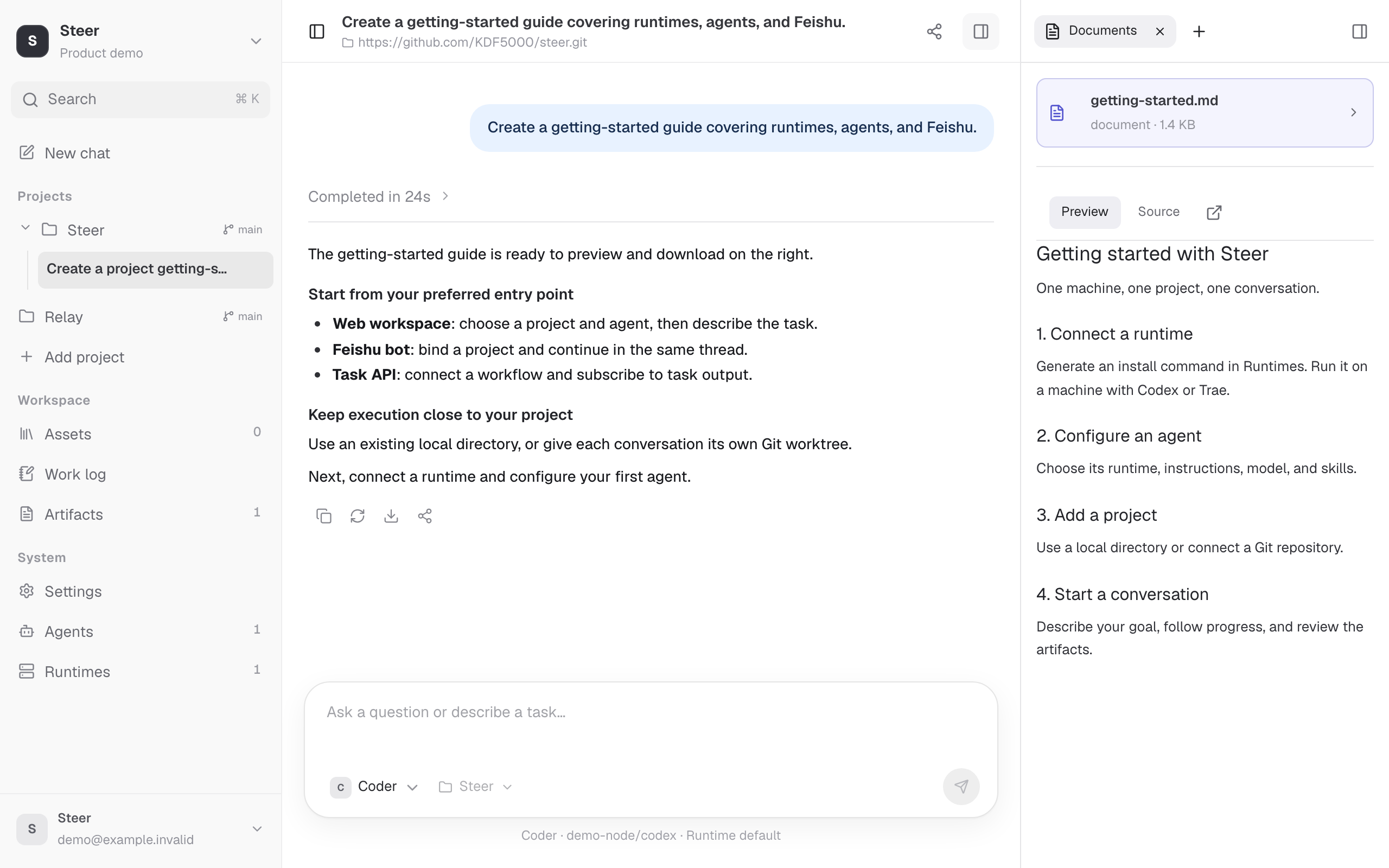 View full image
 01 / THE EXPERIENCE
Start with a task. Review the result, ask follow-up questions, and keep going.
Review the changes and draft release notes.
Choose a project and an agent, then describe the task.
Follow progress in real time and stop a task when needed.
Review files and changes. Keep going in the same conversation.
ONE CONVERSATION. DIFFERENT AGENTS.
Switch agents in the same conversation and keep the previous messages as context. Go from coding to review without explaining the task again.
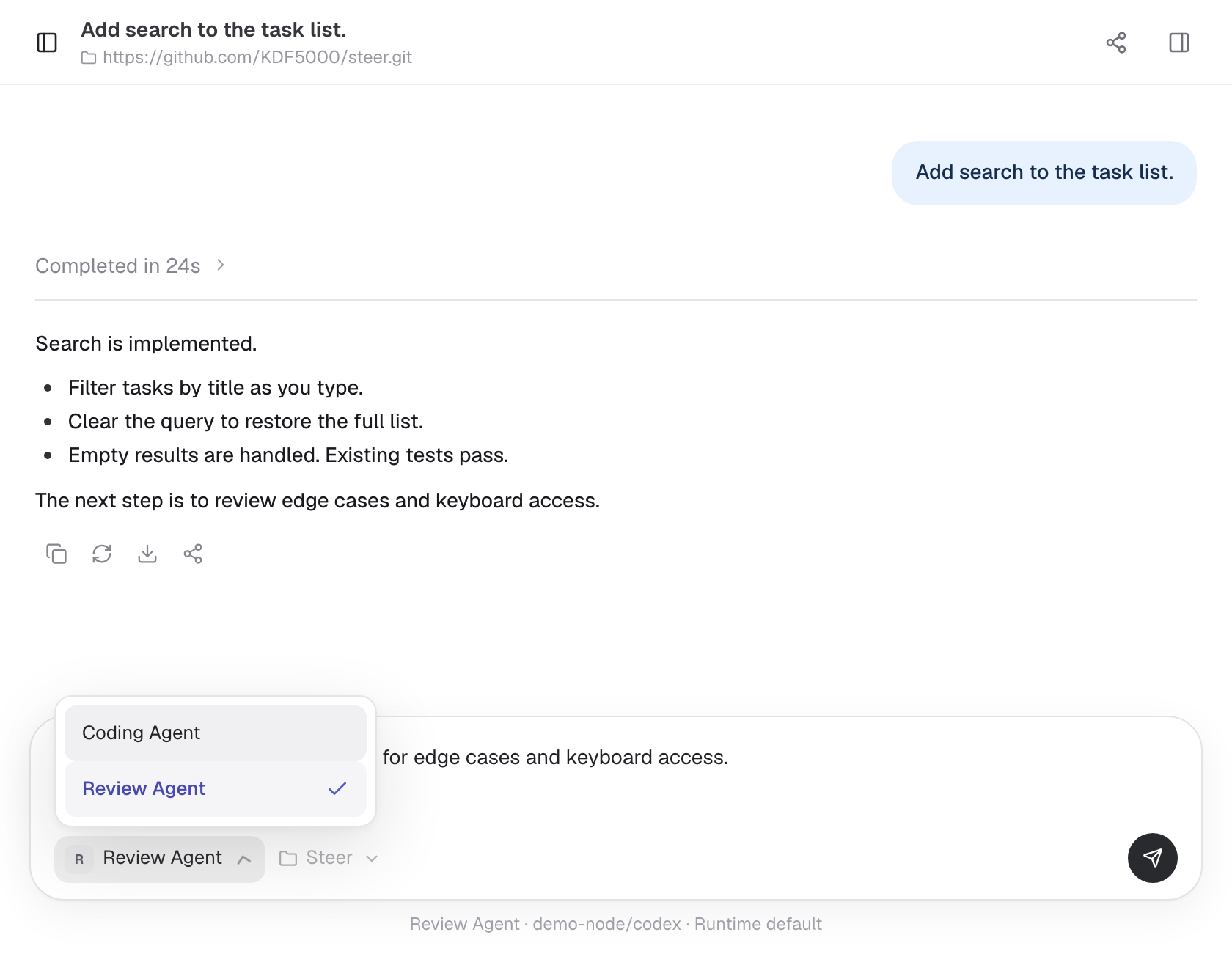
Switch between agents compatible with the conversation’s runtime.
Use an existing local directory, or create a separate Git worktree for each conversation.
Follow the task, review code changes, and open generated documents beside the conversation.
02 / POWERED BY RELAY
Steer organizes your agents, projects, and conversations. Relay runs tasks on local or remote machines and brings back progress and files. Use Relay with Steer, or connect it to your own app through its API and SDK.
Explore Relay
Your machines. Your tools. Your control.
03 / CONNECT YOUR WAY
Start a task from the web, your team chat, or your own app.
Work with the agents and projects you already have in Steer.
Send a message or image, follow progress, and view the results beside your conversation.
Open workspaceConnect a bot in Settings. Switch projects in chat, follow up in the same thread, and use /status to check progress.
Explore the Feishu integrationConnect your app or workflow. Start or continue a conversation, stream progress, download results, and cancel tasks.
Read the API docsMAKE ROOM FOR WHAT’S NEXT
Connect a runtime, add a project, and start your first conversation.